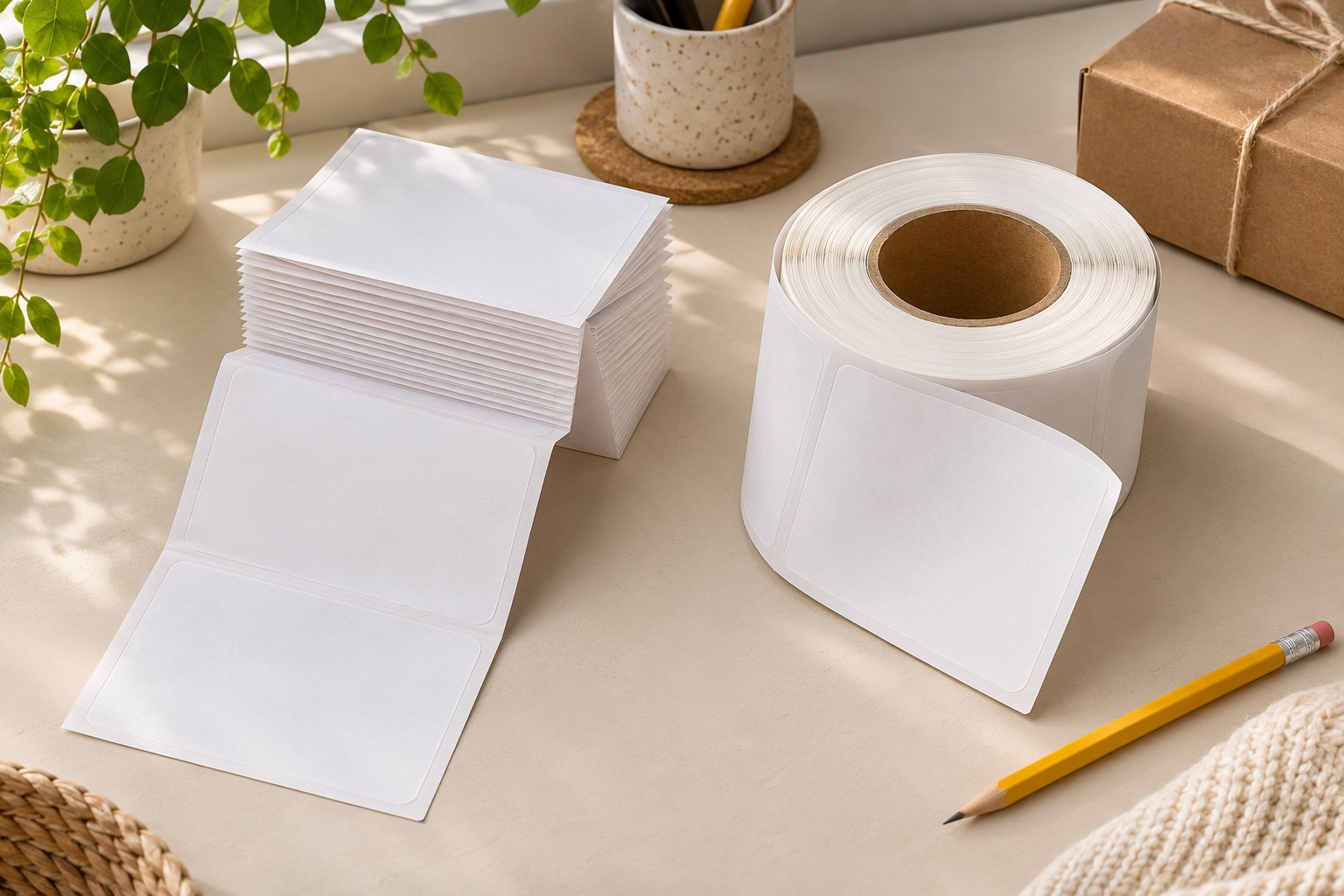
The same label size can arrive in two different forms
Fanfold and roll describe how a continuous strip of labels and backing is stored. In fanfold stock, the liner is folded back and forth into a stack. On a roll, it is wound around a core. Both can be direct thermal parcel labels, but the way the printer is supplied changes.
For a compatible external-feed printer, the main differences are space, loading and resistance in the paper path. Fanfold needs room for its folds to open. A roll needs a suitable support that lets it turn. Neither arrangement fixes an incorrect label size, an unsupported sensor type or a bad postage template.
First establish that your exact printer accepts the stock. The MUNBYN RW403B manufacturer guidance describes using either a roll or a fanfold stack. That does not apply automatically to other machines: a Brother QL uses listed DK media, and DYMO Series 5 printers require Authentic DYMO LW supplies.
Compare the complete setup, not just the printer
| Question | Fanfold stock | Roll stock |
|---|---|---|
| What holds the supply? | A stable stack position or suitable tray | A compatible internal compartment or external holder |
| Which measurements matter? | Label width and length, stack footprint and feed clearance | Label width and length, core size, full outside diameter and holder clearance |
| Where can feeding snag? | At a fold, desk edge or obstructed stack | At a tight spindle, holder side or poorly aligned roll |
| How do you see remaining stock? | The stack height provides a visual estimate | The remaining roll diameter provides a visual estimate |
| Does the format guarantee print quality? | No; coating, settings and the printer still matter | No; coating, settings and the printer still matter |
Measure the arrangement while it is loaded. A very small printer can still occupy a considerable depth once the supplies and cable bends are included. Check that nothing presses against the labels when you move your keyboard or place a parcel on the scales.
Setting up a fanfold stack
Put the stack on a level surface behind the printer, aligned with the entrance slot. Give the next fold room to open without pulling the whole stack sideways. Load the leading edge and adjust the printer’s guides according to its manual: they should guide the liner without pinching it.
The MUNBYN pack below contains 500 nominal 4×6-inch direct thermal labels in fanfold form. It is a practical candidate for a compatible open-format printer, particularly if you do not already own a roll holder. It is not a refill for machines that require their own proprietary roll system.
The absence of a core removes one purchasing measurement. You still need to check the actual label dimensions, gap and paper requirements. “4×6” describes the intended label face; it does not guarantee that every printer’s sensing arrangement will work with every stock carrying that description.
Keep unused folds protected from dust and accidental pressure. Avoid leaving the stack where packing tape, scraps of backing or the corner of a box can catch it. A simple clear area can be more useful than an elaborate organiser that puts a sharp turn in the feed path.
Open-format fanfold supply
MUNBYN 4 × 6 inch fanfold shipping labels
A 500-label fanfold pack for compatible direct thermal shipping printers. The folded stack sits behind the printer and feeds without putting a large roll inside the machine.
Keep in mind. Check the actual printer’s width, gap sensing and feed instructions. These open-format labels are a different system from Brother DK holders and DYMO’s Series 5 authenticated rolls.
- 4 × 6 inch format
- 500 fanfold labels
- Direct thermal media
Setting up a roll and holder
For a roll inside a printer, follow its specified core size, maximum outside diameter and loading direction. For an external-feed printer, the holder carries the roll, so check the holder as carefully as the printer. Its spindle must fit the core, its sides must clear the full roll, and it must sit in line with the paper entrance.
The MUNBYN 500-label roll below supplies nominal 4×6-inch stock. The selected Amazon UK listing specifies a 120 mm outside diameter for this 500-label roll. Check the holder’s clearance for that full diameter. The core’s inside diameter remains unspecified in the information used here, so confirm that measurement before choosing a spindle. Dimensions for a different 220-label MUNBYN roll are not reliable evidence for this pack.
Before printing a batch, check that the roll turns freely and the paper enters straight. A roll rubbing a holder side can create avoidable drag. Pulling the printer’s guides too tightly is another possible obstruction, so follow the loading instructions rather than using the guides to force a misaligned roll into place.
Rolls may suit a desk where a holder already provides a consistent supply position. They are also the required form for some enclosed printer systems. The fact that another external-feed machine uses fanfold does not establish that your printer can bypass its internal holder or compartment.
Open-format roll supply
MUNBYN 4 × 6 inch roll shipping labels
A 500-label direct thermal roll for printers that support its media and feed arrangement. A suitable roll holder keeps the supply together at a dedicated packing position.
Keep in mind. Check the holder fits the listing’s 120 mm full roll diameter and confirm the core inside diameter before buying a spindle. It is open-format media, not Brother DK or a DYMO Series 5 refill.
- 4 × 6 inch format
- 500 roll labels
- Direct thermal media
Choose around the way you pack orders
For a permanent packing desk with space behind the printer, fanfold can make replenishment straightforward: replace the stack, load the leading edge and run the required media setup. Choose a position where the supply will not be disturbed whenever a large parcel is put down.
For a desk with an existing, correctly sized roll holder, staying with rolls may be the easiest repeat purchase. Check the largest roll you intend to use, not just a nearly empty starter roll. A holder that clears a small roll may not clear a larger bulk pack.
For occasional use on a shared table, think about setup and storage together. You will need to put away the printer, supply and any holder. Keeping one known-compatible format, a saved paper-size setting and a short loading note can be more helpful than buying whichever pack currently has the lowest headline price.
These are workflow choices, not claims that one format inherently prints faster or makes sharper barcodes. The printer, label material, print settings and document determine the output. Choose the form you can feed reliably in the space you have.
Compare the cost of usable labels
Divide the delivered pack price by its stated label count, then compare like with like. The two featured packs each contain 500 labels, making that particular comparison straightforward. A smaller introductory pack can look inexpensive while costing more per label than a larger supply.
Include any holder you must buy to make a roll work. Also allow for labels used during setup. If changing to unfamiliar stock takes several attempts to establish the correct size and gap, those labels are part of the real cost of switching. For occasional dispatches, avoiding a large stock commitment can matter more than saving a small fraction per label.
Check what the listing actually counts: labels, rolls or packs. Confirm the adhesive and material suit your packaging. A larger pack of the wrong stock is poor value even if its nominal unit price is attractive.
When feeding goes wrong, separate drag from detection
If the stock catches or pulls sideways, inspect the physical route first. Remove obstructions, centre the stack or holder, and check guide adjustment. If the paper moves freely but the printer skips labels or loses the start position, check media dimensions, type and calibration next.
MUNBYN instructs RW403B users to recalibrate when size or gap changes. Its offset help page also explains that the gap setting must match the labels. Do not repeatedly adjust document margins to compensate for a feed-length error; the next label may land differently again.
Print one sample after a supply change. Check the full label and barcode before sending a long batch. Keep a record of the exact stock that works, including pack size and format, so reordering does not quietly introduce a different roll or backing.
Manufacturer guidance used
Reviewed in November 2026 using manufacturer setup and media documentation.
Common questions
Can the MUNBYN RW403B use both rolls and fanfold labels?
MUNBYN’s RW403B product guidance describes loading a roll or fanfold stack. The stock still needs suitable dimensions and media settings. A roll must be supported so that it feeds freely; the manufacturer’s guidance does not make every roll or label coating compatible.
Does fanfold stock need a holder?
It does not need a spindle or roll holder. It does need a stable, clear position behind a compatible printer so the liner can unfold without catching. A tray can help organise the desk, but it must not obstruct the feed path.
Are rolls always cheaper than fanfold labels?
No. Compare delivered prices for the same label size, material and usable count. Add the cost of any holder you need. Different pack sizes and quantities can matter more than whether the labels are wound or folded.
Can a Brother QL printer take these generic fanfold labels?
Do not assume so. Brother QL models use their listed DK roll system. A label being 4×6 inches or direct thermal does not make generic fanfold stock a supported DK replacement.
Should I recalibrate after switching from roll to fanfold?
Follow the exact printer’s instructions. Recalibration is particularly important when label dimensions, backing or gap change. MUNBYN advises recalibrating the RW403B when the media size or gap changes; a saved paper-size setting alone may not be enough.