Choose the face before you peel the backing
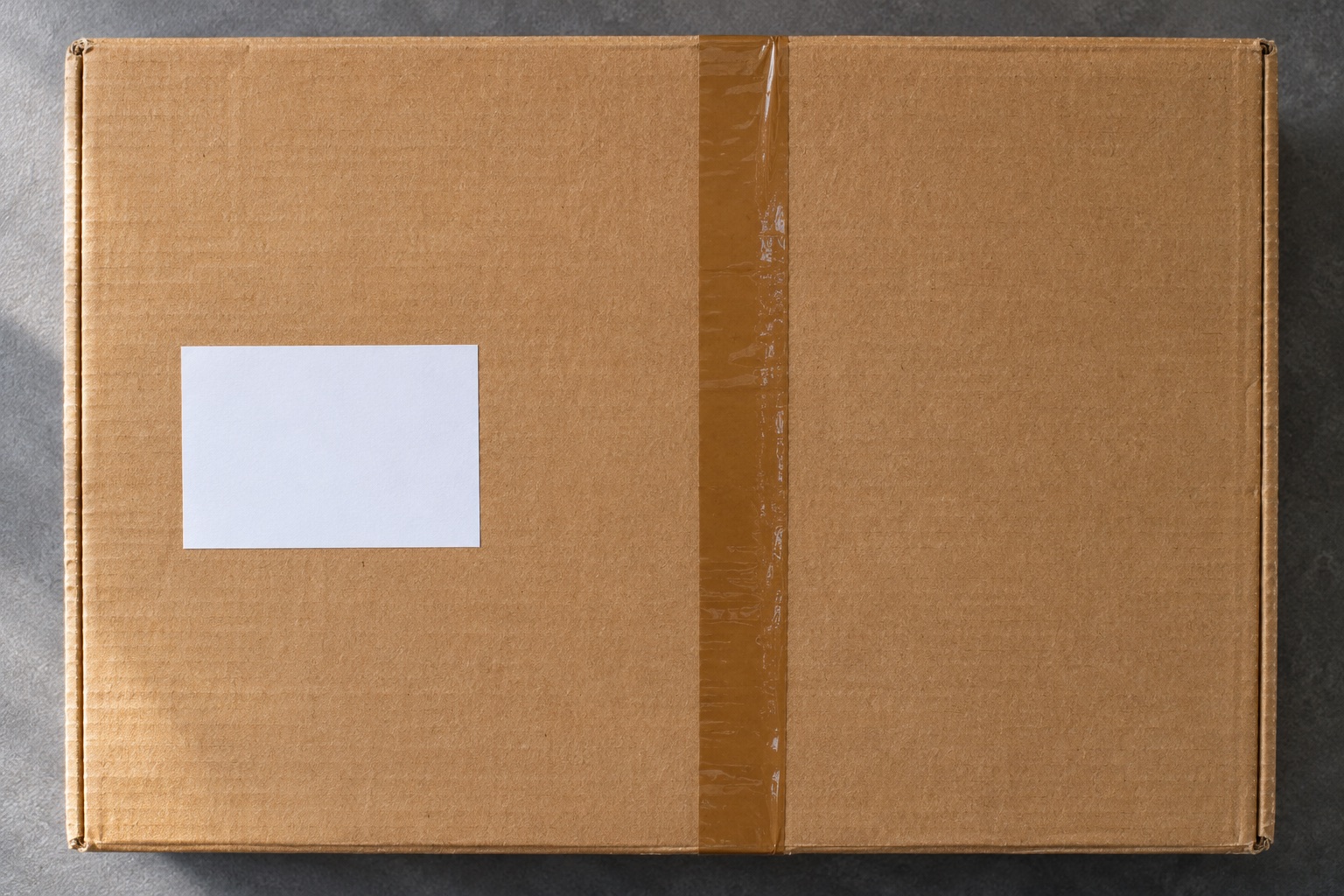
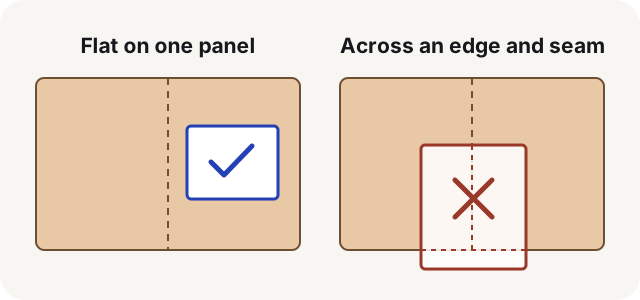
Finish packing and sealing the parcel, then lay the label on the box with the backing still attached. Look at the whole label, including the white space around the barcode. There should be room for it to sit flat without bending over an edge, covering an opening or bunching up over a raised seam. If the first position puts the address on one face and the code on another, move the entire label together.
A broad top face is often the easiest spot to work with. Evri recommends the middle of the top on flat-sided parcels. DPD Online advises putting the label on the largest surface without wrinkles. Royal Mail's business parcel guidance also calls for a large flat surface and a clearly presented code and address. Check the instructions for your service if they specify a position, packaging shape or additional paperwork. Evri labelling guidance, DPD Online packaging tips, Royal Mail parcel presentation guidance
On a reused box, inspect every side for previous shipping labels, routing stickers and barcodes. Peel away the old labels if you can. Where an old code cannot be removed and your carrier allows covering it, make it fully opaque. Check the surface after peeling, too. A torn, dusty patch can make the new label lift at the corners.
Attach plain paper and adhesive stock differently
For a paper printout, keep the carrier's label panel intact. If the PDF has a separate receipt or despatch note, identify the correct panel before trimming the surrounding paper. Keep the address, service information, barcode and its blank margins together. Secure the paper flat along its edges using a method the service allows. Royal Mail Click & Drop accepts glue or clear tape when the print stays readable. For a Royal Mail return, its dedicated return instructions say to keep tape off the barcode. Click & Drop printing instructions, Royal Mail returns
For a self-adhesive label, use a clean, dry patch. Hold the label where it will sit, peel the backing and smooth from one side to the other. Check the corners as well as the middle. If the label creases or tears while you apply it, use the issuer's reprint instructions for that shipment and remove the damaged label before attaching the replacement.
If you regularly print standalone 4×6 labels with a compatible open-format direct thermal printer, peel-and-stick fanfold stock avoids the separate paper-and-tape step. Confirm the printer's feed type and the dimensions of the carrier PDF first. The pack below fits that workflow when your printer accepts it. Check the thermal label compatibility guide for other media systems.
Open-format fanfold supply
MUNBYN 4 × 6 inch fanfold shipping labels
A 500-label fanfold pack for compatible direct thermal shipping printers. The folded stack sits behind the printer and feeds without putting a large roll inside the machine.
Keep in mind. Check the actual printer’s width, gap sensing and feed instructions. These open-format labels are a different system from Brother DK holders and DYMO’s Series 5 authenticated rolls.
- 4 × 6 inch format
- 500 fanfold labels
- Direct thermal media
Find a flat area on bags and awkward parcels
Mailing bags. Pack and seal the bag, then smooth a broad panel against a work surface before applying the label. Keep away from the closure strip, crumpled corners and creases. Pick an area supported by the contents so it stays reasonably flat when the bag is lifted. If the bag still bunches beneath the code, choose more suitable packaging.
Small boxes and tubes. Compare the actual label with the packaging before you buy postage or finish packing. If it will not fit, check for a supported label format or pick a parcel shape with a larger flat panel. Check the size and weight again if you change the packaging. Follow your service's advice for tubes and other non-standard shapes. Avoid shrinking the print to rescue a poor fit. That can reduce the code and its surrounding space as well as the address.
International shipments. The shipping label identifies the parcel, while your service may also issue customs forms or invoices. Follow the booking's directions for which documents go outside, which go inside and whether to use a pouch. Leave the shipping label visible when fitting the paperwork. Keep any extra carrier-issued codes that your booking explicitly requires.
Check the parcel just before handover
- Match the order. Compare the delivery postcode or destination and order reference with the item in the parcel. When packing several orders, finish one parcel and its label before taking the next from the pile.
- Read the print. Check for fading, missing lines, clipped text and a visibly complete barcode. If the print was cropped, correct the PDF or paper-size setting and reprint from the original order.
- Check the surface. Look for lifting corners, a label stretched around the edge, tape across the code or a second old code still visible.
- Check the handover. Use the location and instructions named in the booking. Bring any print-at-drop-off code with you and keep the receipt or tracking reference when the service provides one.
If all you have is a code on your phone, read the wording beside it. An Evri print-in-shop code is for producing a sticky label at a participating location. A marketplace order may instead give you a printable file or tell you to complete a label-free handover. Choose the route shown for that order. Evri Print in ParcelShop, Vinted shipping labels and QR codes
Common questions
Does the shipping label have to go on top of the box?
Use the largest suitable flat face and follow the carrier's directions for the booked service. Evri advises using the middle of the top of a flat-sided parcel. If a central seam interrupts the area, choose a position on that face where the label can lie completely flat and clear of the seam.
Can I fold a shipping label around the corner?
Keep the entire label on one face. A fold can split the barcode, break up the address or create a crease that affects scanning. If the complete label will not fit, check whether the booking offers another approved format or use suitable packaging with a larger flat face.
Can I put clear tape over a shipping label?
Check your service instructions. Royal Mail Click & Drop allows clear tape on plain-paper labels if all details remain readable. Some return instructions explicitly say to keep tape off the barcode. Securing the margins while leaving the code uncovered is a good starting point when the service allows it.
Can I cover an old barcode with the new label?
Remove old shipping labels where possible. If the service allows concealment and a stubborn old code remains, cover it completely with opaque material. Check the other faces too and use a clean, firm spot for the new label.
Do I stick a print-in-store QR code to the parcel?
Show a code issued for shop or locker printing as instructed by the order. Attach the shipping label that the terminal or staff prints. If the order explicitly uses a label-free drop-off, follow that handover process instead.