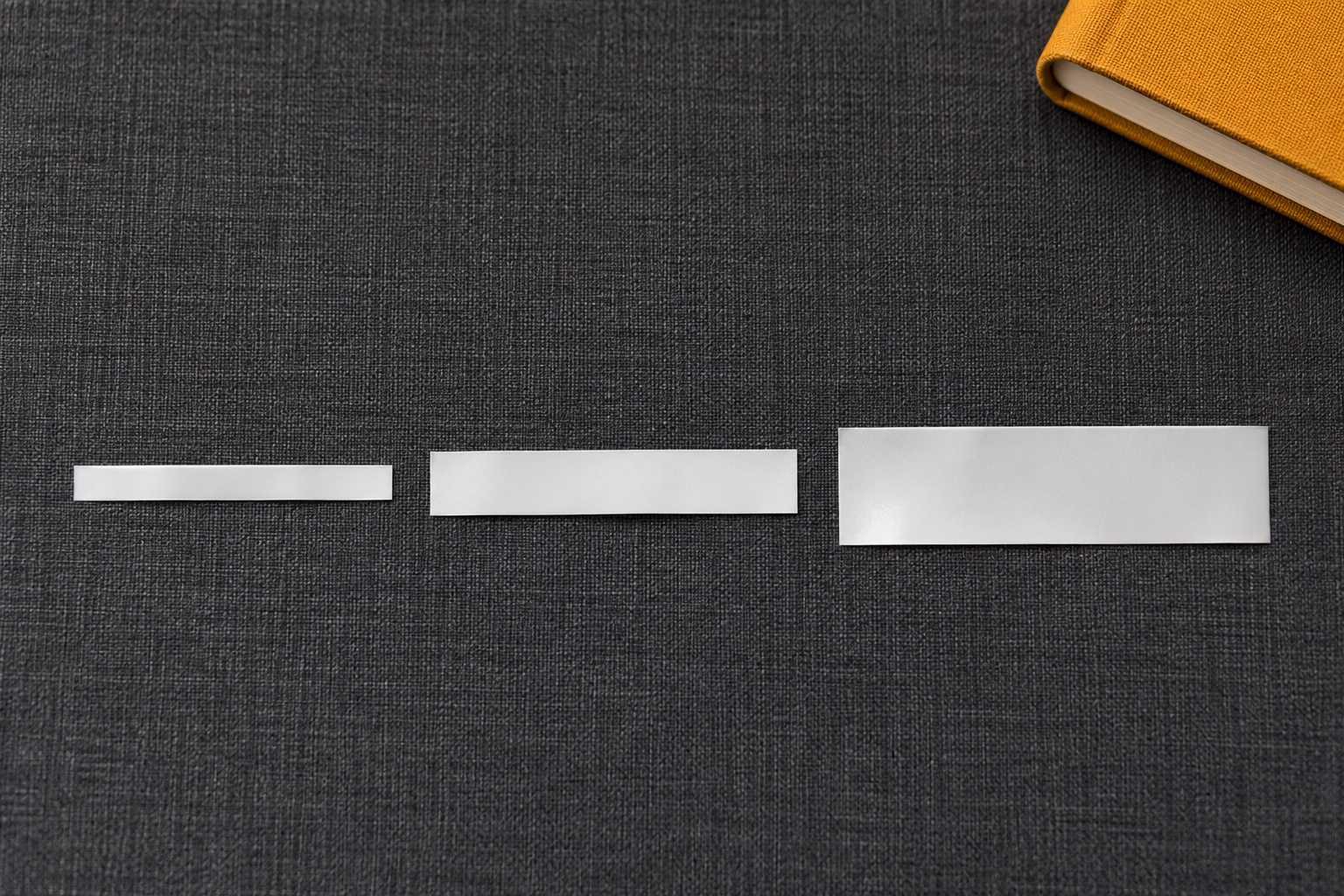
Which label tape width should you use?
Width is the short dimension across the tape. Length runs in the direction it feeds. These are starting points for measuring and testing your layout. Available widths vary with the printer and tape family.
| Nominal width | Job to try first | What to measure |
|---|---|---|
| 3.5 or 6 mm | Short identifiers on slim, flat edges | The narrowest flat area and the size of a readable single line |
| 9 mm | Small file tabs, clips and shelf lips | The area clear of folds, finger grips and curved edges |
| 12 mm | Folder spines, drawer fronts and ordinary home storage | Height for the text and margins on the actual label |
| 18 mm | Drawer categories and medium shelf headings | Room to increase type size or fit a second line |
| 24 mm | Larger bin headings and two-line labels | The full flat area and the model's printable height |
| 36 mm | Broad signs and large boxes | Whether the specific printer takes 36 mm stock |
The bars compare the heights of the tape strips. Use a ruler for the actual fit.
Measure the area the tape can actually stick to
On a lever-arch file, look for the clear strip between the finger hole and the spine's edges. On a drawer, exclude the lip, handle and any curve where the tape would lift. On a lidded box, measure the flat panel without the rim. If you want matching labels for several containers, use the smallest usable panel as the starting point.
A paper mock-up makes this easier. Cut a strip to the intended width and the length your text needs. Hold it in place and stand where you will usually read it. A short name such as CABLES may fit comfortably on a narrow strip. For a box you read from across the room, test larger lettering or use two lines on a wider tape. Check the supported material and adhesive if the surface is textured or curved.
Compare printable height before choosing a larger model
Measure the full strip to establish whether it fits the surface. Then check the printer's maximum print band across that strip. A printer's widest cassette and its maximum printed height are different specifications. The table below pairs the documented figures for five selected Brother models, from the 12 mm PT-H110 to the 36 mm CUBE Pro.
Selected Brother P-touch models
Tape width and maximum print height are different limits
These figures pair each model's widest supported standard TZe tape with its published maximum print height across the tape. Font size, line spacing, frames and layout can use less of that band.
| Brother model | Widest TZe tape | Maximum print height | Remaining width* | Condition and source |
|---|---|---|---|---|
| PT-H110 | 12 mm | 9 mm | 3 mm | 9 mm maximum across the tape; layout and character design determine the lettering height. Brother PT-H110 specification leaflet |
| PT-P300BT CUBE | 12 mm | 9 mm | 3 mm | The original CUBE stops at 12 mm tape. Use its actual-width preview for narrower stock. Brother CUBE model comparison |
| PT-P710BT CUBE Plus | 24 mm | 18 mm | 6 mm | 18 mm is the model maximum on its widest 24 mm tape; a 12 mm cassette needs a smaller layout. Brother CUBE model comparison |
| PT-D610BT | 24 mm | 18 mm | 6 mm | Brother specifies 18.0 mm when using 24 mm tape and notes that actual characters may be smaller. Model specification |
| PT-P910BT CUBE Pro | 36 mm | 32 mm | 4 mm | 32 mm is the model maximum with the 36 mm format; choose the actual cassette width in the software. Model specification |
*Remaining width = nominal tape width − maximum print height. This is the combined width outside that maximum band, across both edges. Its distribution and the final text position depend on the printer and layout.
What the subtraction means for your design
A PT-H110 with 12 mm tape has a 9 mm maximum band, leaving 3 mm in total outside it. A PT-D610BT with 24 mm tape has an 18 mm maximum band, leaving 6 mm. The PT-P910BT's 36 mm format and 32 mm maximum leave 4 mm. Compare the documented pair for the model you use instead of scaling a margin rule from another printer.
The print band includes all lines and graphics across the tape. An 18 mm band containing two text lines still needs room for line spacing and any frame. Check the preview with your real wording; maximum print height does not specify the height of each letter or guarantee a particular point size.
If the word is too long, a longer label can be enough when the surface has room. Choose a wider tape when you need taller letters, more space between lines or a larger symbol. Use the printer preview with the actual cassette width selected. A preset made for a 24 mm tape can behave differently on a 12 mm roll.
Match the cassette family, then its width
Read the model number on the printer and use its consumables list. Brother TZe and DYMO LetraTag each include a 12 mm format in their own cassette family. DYMO D1 uses another cassette system, and its supported widths vary by printer. For an existing machine, the manual or supported tape list is the best place to check. Brother TZe selector, DYMO LetraTag paper, DYMO D1 standard
Standard TZe width compatibility
Check the full model before choosing a wider cassette
“Listed” means that nominal TZe width is in the model's manufacturer specification or supported tape list. “No” means it is outside the listed widths for that model. Confirm the exact cassette code, material and cutting instructions as a second check.
| Brother model | 3.5 mm | 6 mm | 9 mm | 12 mm | 18 mm | 24 mm | 36 mm |
|---|---|---|---|---|---|---|---|
| PT-H110 | Listed | Listed | Listed | Listed | No | No | No |
| PT-P300BT CUBE | Listed | Listed | Listed | Listed | No | No | No |
| PT-P710BT CUBE Plus | Listed | Listed | Listed | Listed | Listed | Listed | No |
| PT-D610BT | Listed | Listed | Listed | Listed | Listed | Listed | No |
| PT-P910BT CUBE Pro | Listed | Listed | Listed | Listed | Listed | Listed | Listed |
For example, standard 24 mm TZe-251 belongs with a listed 24 mm-capable model such as PT-P710BT, PT-D610BT or PT-P910BT. The PT-H110 and PT-P300BT stop at 12 mm. A different tape family still needs its own model match even when the width is the same.
| Cassette family | Documented example | What establishes the match? |
|---|---|---|
| Brother TZe | 12 mm TZe-231 within the TZe system. | The exact printer's TZe list and supported width. See the Brother model/refill guide. |
| DYMO LetraTag | DYMO's 12 mm LetraTag paper cassette. | A LetraTag model and its supported LT cassette. DYMO identifies the family separately from D1. DYMO LetraTag specification. |
| DYMO D1 | D1 Standard is a separate cassette system with model-dependent widths. | The specific LabelManager or LabelWriter Duo tape mechanism and its supported D1 widths. DYMO D1 specification. |
Use each model's own print-area specification for LetraTag, D1 or another family. The Brother print-height figures above apply to the named Brother models and their documented tape conditions.
If you have a compatible Brother model and a broad bin front, genuine TZe-251 is a standard laminated 24 mm example. Check the suffix and length. A supplied starter cassette can be shorter than the 8 m retail refill.
24 mm for large lettering
Brother TZe-251 laminated tape
A genuine black-on-white laminated cassette for larger bin headings and shelf labels. The roll contains 8 metres of continuous tape.
Keep in mind. Check your exact printer lists this 24 mm cassette. It suits models such as the PT-P710BT and PT-D610BT. Choose a narrower tape for the PT-H110 or original P-touch CUBE.
- 24 mm nominal width
- 8 m continuous tape
- Black on white · standard laminate
Print one sample before buying refills in bulk
- Use the full words and line count you want on the finished label. Preview a short name and the longest one in the group.
- Print one label at the intended size. Check that the letters are readable at normal distance and that the label lies flat.
- Measure the printed strip and the extra feed at either end. Use that measurement when estimating how many labels a cassette will produce.
- Keep the printer model, tape code and working layout together. That gives you a known starting point the next time you order a refill.
For slim jobs, compare the actual 9 mm and 12 mm TZe refill options. For large signs, use the wide tape buying guide to check what the printer can take and how you will type the labels.
Manufacturer specifications behind the tables
Reviewed in November 2026. The model table uses manufacturer maximum print heights and listed TZe widths. The subtraction examples show nominal tape width minus that model's maximum band; narrower-width print heights need the model's own width-specific instructions.
Some Brother comparison pages call the same across-tape dimension “maximum print width”. Here, print height means the printable band across the strip; label length runs along the tape feed.
- PT-H110: UK cassette-width specification and Brother PT-H110 print-height leaflet.
- PT-P300BT: UK cassette-width specification and Brother's CUBE comparison with the 9 mm print band on 12 mm tape.
- PT-P710BT: UK supported tape list and Brother's CUBE comparison with the 18 mm print band on 24 mm tape.
- PT-D610BT maximum height, 24 mm condition and supported widths.
- PT-P910BT maximum height and supported widths.
- DYMO LetraTag paper cassette and family and DYMO D1 cassette family.
Common questions
Is 9 mm or 12 mm tape better for home labels?
Choose 9 mm for a narrow, flat strip and a short name. Choose 12 mm when the surface has room and the extra height makes the text easier to read. Check the actual preview and the cassette fit before buying either.
Can I print 12 mm high letters on 12 mm tape?
The PT-H110's 12 mm tape has a maximum 9 mm print band, leaving 3 mm in total outside that band. Layout, typeface, line spacing and frames can reduce the text height further. Use the model's specification and preview for the actual tape width.
Will a 24 mm cassette fit a printer rated for 12 mm?
No. A 12 mm maximum limits the width of the tape the printer takes. For a 24 mm label, choose a machine and cassette family that explicitly support that width.
What tape width should I use for cables?
Start with the cable diameter and how the label needs to sit. Check a compatible flexible identification tape or another documented cable label, then follow its wrap or flag instructions. A narrow ordinary cassette can fit the printer but still lift from a tight curve.
Does a wider tape always cost more per label?
Compare the delivered price, tape length and actual usable labels you get from a cassette. Feed and cut margins, label length and the way you print a batch affect the result. Print a sample to measure the actual material used.