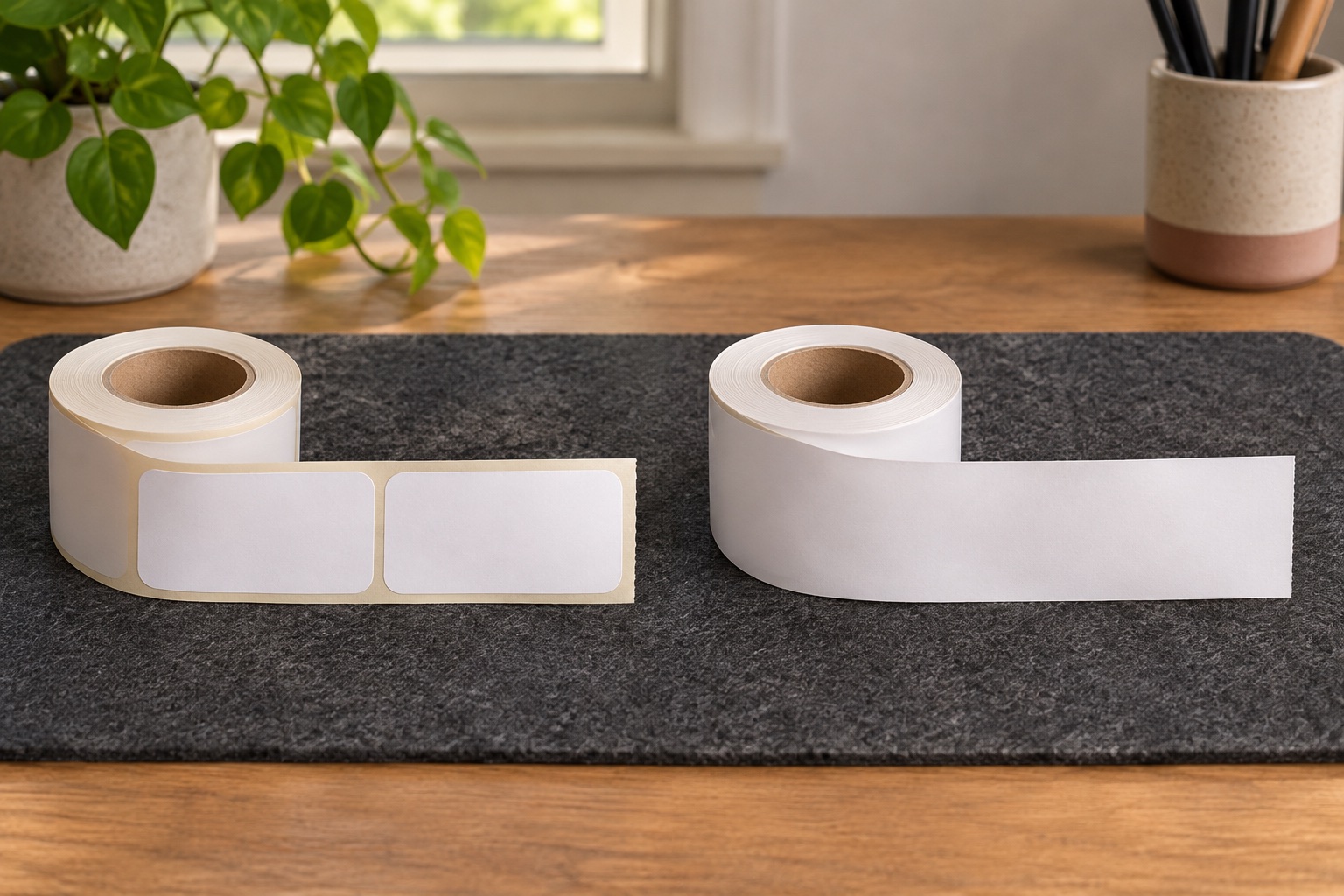
Choose between pre-cut labels and a cut-to-length strip
The choice comes down to what needs to stay consistent across your jobs. A die-cut roll gives each finished label a fixed width and length. A continuous roll gives a fixed width and lets you vary the cut length within the printer and software limits. Both featured rolls are black-on-white paper for compatible Brother QL printers.
| Feature | DK-11201 die-cut address labels | DK-22205 continuous paper |
|---|---|---|
| Format | Pre-cut peel-off labels | Uninterrupted paper strip |
| Stock size | 29 × 90 mm per label | 62 mm wide × 30.48 m per roll |
| Yield | 400 labels before tests or misprints | Depends on cut length and feed |
| Good fit | Repeated short addresses or matching file labels | Variable-length headings, signs and larger labels |
| Software setting | Matching 29 × 90 mm die-cut layout | 62 mm continuous layout with the required length |
Brother lists both of these rolls for the QL-800 and QL-600R. Use the consumables list for your exact QL model if you have a different printer. Two genuine DK rolls may still have different model coverage. Brother QL-800 supplies · Brother QL-600R supplies
Use DK-11201 for a job you can size once
An envelope run is a good fit if your longest complete address fits in a 29 × 90 mm template at a comfortable print size. Preview that address first. If it fits, the same layout gives a consistent position and finished size for shorter addresses. A set of file labels or return addresses works on the same principle.
The label edges are already cut in the roll. The printer may cut through the backing after each label or group according to its available cut options. That changes how the backing is delivered. The peel-off label stays the same size. Brother DK-11201 specifications
Small envelope address labels
Brother DK-11201 standard address labels
A genuine pre-sized Brother DK address roll for compact mailing and file labels. Use it when the address fits comfortably on the smaller label and a large parcel panel would be unnecessary.
Keep in mind. The nominal 29 × 90 mm format gives limited space for long addresses. Preview the complete address and use larger media when small type would make it hard to read.
- 29 × 90 mm nominal
- 400 pre-cut labels
- Brother DK holder
Use DK-22205 when headings need different lengths
DK-22205 suits a folder title, stock shelf heading or short sign whose length depends on the words. Set 62 mm continuous stock in the layout. Pick a fixed length if you want matching strips across a set. If the editor offers automatic length, preview short and long examples before printing a mixed batch.
The paper remains 62 mm wide no matter how long you make the cut. A carrier’s four-inch-wide shipping label needs a different approved layout and wider supported stock. If you are planning repeat parcel jobs, check the carrier format before choosing your roll. Brother DK-22205 specifications · Brother DK-22205 banner layout example
Variable-length Brother labels
Brother DK-22205 continuous paper roll
This genuine 62 mm continuous paper roll lets a compatible Brother QL cut the label length around an address, filing title or short sign. One roll can cover several lengths.
Keep in mind. Its 62 mm media width is too narrow for a four-inch parcel label. Check the printer’s supported roll list and save the right continuous-size template.
- 62 mm wide
- 30.48 m continuous roll
- Black on white paper
Match the layout to the roll when you swap stock
- Check the code on the roll packaging and load it using the exact printer’s instructions. Use the correct Brother DK holder for the roll.
- Select your QL printer in the app or driver. Choose the die-cut size or continuous width and set the intended orientation.
- In a supported version of P-touch Editor, use Check Media if available, then check the selected size against the physical roll. Save each frequently used size as its own template.
- Preview the longest address or heading and print one sample. Confirm the text clears the edges, the cut lands as intended and the label fits its destination.
If you see a roll mismatch after a swap, open the template’s media settings before adjusting the text. A 29 × 90 mm template and a 62 mm continuous roll describe different media. Correct that setting first. Brother QL-800 roll mismatch guidance
Compare the number of labels you can use
A new DK-11201 roll starts with 400 labels. For DK-22205, measure the stock consumed by a representative print, including any leading feed, margins and cut allowance. If your print consumes 100 mm, 30,480 mm of roll gives a theoretical 304 labels before start-up feed and waste. For mixed lengths, estimate the average across a few real samples.
Check that both options make a label that fits before comparing cost per label. A larger stock size can be worth it if the shorter layout forces a cramped address or if you use it across several jobs.
Brother specifications
Common questions
What is the difference between die-cut and continuous Brother DK rolls?
Die-cut rolls have separate peel-off labels cut to a fixed size. Continuous rolls have one uninterrupted strip of a fixed width. Set the job’s label length in the software and the compatible printer cuts the strip.
Can the Brother QL-800 use both DK-11201 and DK-22205?
Yes. Brother lists both genuine rolls for the QL-800. Use the matching die-cut or continuous media setting for each job.
Can I use DK-22205 for a 4 × 6 parcel label?
Its 62 mm width is too narrow for a label with a four-inch short edge. Check your carrier’s required format and use a matching layout with supported wider media.
Why does P-touch Editor say the roll does not match?
A saved layout may still point to the previous roll. Select the right printer, check the loaded roll code and switch the layout to that exact size and format. Use Check Media if your version offers it.
How many labels do I get from a DK-22205 roll?
The roll has 30.48 m of continuous stock. The count varies with the cut length, margins, feed and test prints. Divide 30,480 mm by the measured length consumed per label to estimate yield.